MEP Scan-to-BIM: Coordination and As-Built Modeling
Convert complex mechanical room laser scans into coordinated Autodesk Revit models. Prevent spatial clashes and streamline retrofit routing with field-verified 3D data.
If your engineer is routing new ductwork or piping through a ceiling plenum that the old drawings show as empty, the first clash will show up on site instead of in the model. Converting a laser scan of an existing mechanical room into a coordinated Autodesk Revit model eliminates the guesswork of field verification. This scan-to-BIM workflow translates dense point clouds into parametric ductwork, piping, and conduit networks. Engineering teams rely on these accurate baseline models to route new systems through congested plenums without triggering spatial conflicts during installation.
Why model existing MEP systems from a point cloud?
Manual tape measurements consistently fail to capture the true elevation of overhead pipes and the deflection of sagging ductwork. A 3D laser scanner records the precise existing condition of every visible component.
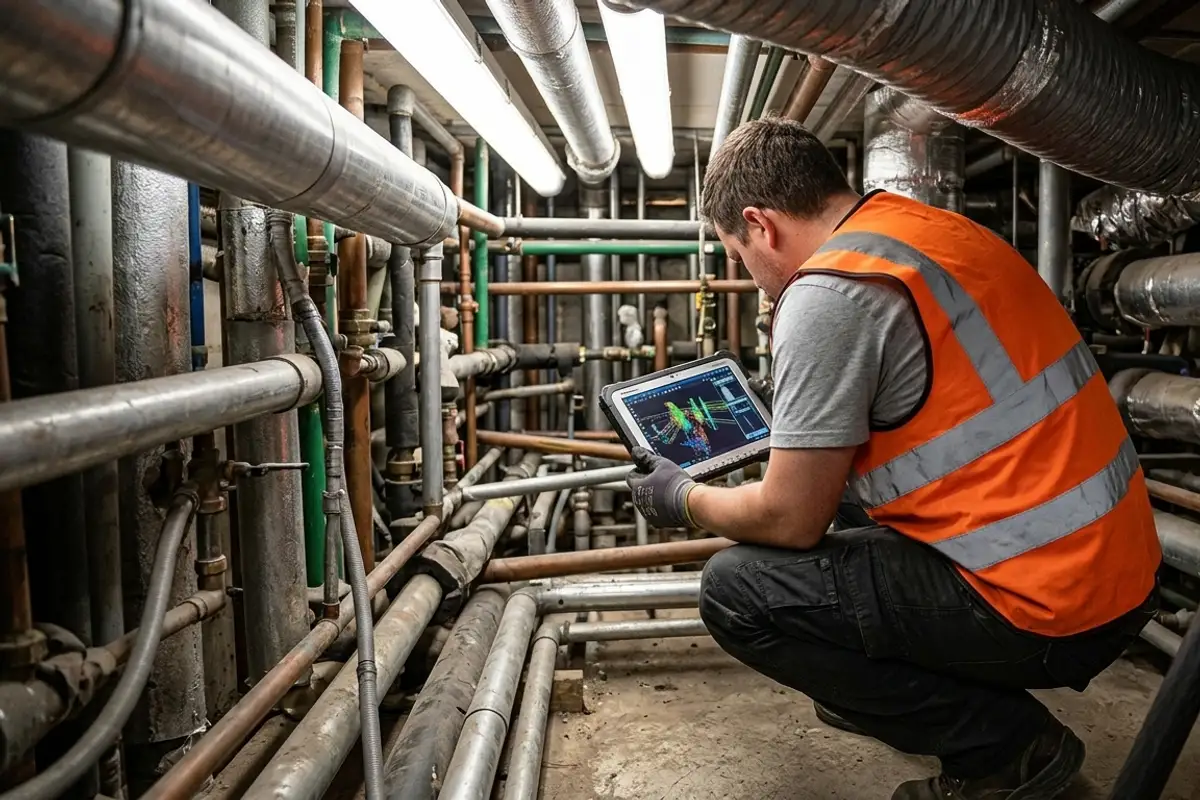
Using a Leica RTC360, field technicians capture complex mechanical environments at an accuracy of ±2 mm. We register these millions of individual data points into a unified coordinate system using Cyclone REGISTER 360 PLUS. When this registered point cloud is linked into Autodesk Revit, the modeling team traces the precise geometry and elevation of the existing systems rather than trusting outdated as-built drawings. This ensures that your new MEP design is routed through a verified spatial environment, enabling your team to catch interferences between new cable trays and existing HVAC runs before construction documents are issued.
What LOD is required for mechanical room coordination?
You should specify the Level of Development based on whether the model is used for background reference, multi-trade coordination, or fabrication. We deliver Revit models at LOD 200 through LOD 500.
For general space planning and preliminary routing, LOD 200 provides approximate geometry that reserves the necessary space but lacks strict dimensional precision. The standard requirement for a commercial MEP retrofit is LOD 300, which models specific pipes, ducts, and equipment at their precise size, elevation, and location. If your project requires rigorous multi-trade coordination or automated clash detection in Navisworks Manage, we elevate the specific conflict zones to LOD 350. This level adds the necessary connection details, including hangers, brackets, and clearance zones for maintenance access. Specifying LOD 350 only where systems physically interact prevents you from paying for fabrication-level detail on isolated conduit runs. Send us your mechanical room dimensions, and we will help you map the correct LOD matrix for your engineering team.
How does the scan-to-BIM workflow handle complex ductwork and piping?
The raw point cloud is processed into an indexed RCP or RCS file format and linked directly into the Revit environment. This provides a measurable 3D template for routing all mechanical and electrical elements.
Our modelers use Leica CloudWorx for Revit to slice the point cloud data and extract accurate pipe diameters directly from the cylindrical point clusters. A horizontal slice through a ceiling plenum reveals the precise footprint and clearance of every variable air volume unit and exhaust duct. The modeler places parametric Revit families that match these field-verified dimensions, assigning correct system types and elevations. The final deliverable is a clean, native RVT file alongside the registered point cloud, ensuring you always have the raw measured truth to reference against the modeled elements. If your project requires mapping complex industrial facilities, this workflow forms the core of our 3D laser scanning and scan-to-BIM services.
When is a full 3D MEP model the wrong approach?
Generating a complete 3D Revit MEP model is the wrong choice if your only requirement is locating a single equipment pad or updating a basic 2D floor plan. A 3D model adds unnecessary modeling hours for a problem that a simple 2D deliverable solves.
If a facility manager only needs to update basic fire evacuation routes or map the location of new electrical panels on a flat layout, we generate a 2D AutoCAD DWG directly from a horizontal slice of the point cloud. Translating the entire vertical volume of a mechanical room into parametric 3D elements burns budget without providing actionable value for that specific task. Laser scanning relies entirely on line of sight. A scanner cannot see inside a closed drywall chase to verify hidden plumbing, nor can it identify the voltage of a conduit just by looking at its exterior. If your goal is mapping broad exterior site topography rather than interior systems, drone surveying and inspection is the better choice.
What drives the cost and timeline for MEP modeling?
The modeling schedule and budget depend on the total square footage, the selected Level of Development, and the density of the existing mechanical systems. A heavily congested mechanical room requires far more modeling hours than an open warehouse with a single exposed duct run.
Tight, complex spaces demand more scan positions to eliminate shadows behind densely packed pipes, which increases both the field capture time and the subsequent modeling effort. Standard commercial office plenums move quickly because the systems are predictable and well-separated. Industrial plants and historic building retrofits take longer because modelers must work through irregular layouts and build custom parametric families for non-standard legacy equipment. We serve all of San Diego County, with projects across Orange County, Riverside County and the Inland Empire. Share your building address and required formats (such as RVT, DWG, PDF, or RCP), and we will define a precise turnaround schedule and clear scope for your project deliverables.