Asset-Tagged Digital Twin (LOD 500)
A technical guide to BIMForum Level of Development (LOD) 500 digital twins, detailing how survey-grade laser scanning and AI-assisted metadata extraction connect legacy facility documents to verified 3D geometry.
If your maintenance staff knows which pump failed but spends the morning searching binders and shared drives for its O&M manual, the problem is that the building’s records are not tied to where the equipment is. An asset-tagged LOD 500 digital twin links physical building elements to structured facility records using verified 3D spatial data. Facility managers use this model to locate specific mechanical, electrical, and plumbing (MEP) components and immediately access the associated operation and maintenance (O&M) manuals. Instead of searching disconnected folders, teams query a single Autodesk Revit environment where every major valve, pump, and panel is tied to its verified real-world coordinate.
What defines an LOD 500 digital twin?
The BIMForum Level of Development (LOD) specification defines LOD 500 as a field-verified representation of an element in terms of size, shape, location, quantity, and orientation, with non-geometric information attached to it. While LOD 300 represents the design intent before construction, and LOD 400 includes fabrication details, LOD 500 reflects the exact installed condition. It serves as the ultimate as-built model.
We capture the baseline geometry using the Leica RTC360 3D laser scanner, which records the physical space with an accuracy of +/-2 mm. The scan-to-BIM process translates these millions of data points into parametric Revit families. Modeler teams then add non-geometric data fields to each Revit element, populating parameters like manufacturer name, installation date, and serial number. Send us your project requirements, and we will define exactly which MEP systems require field verification and data attachment.
What hardware captures the baseline geometry?
You cannot attach accurate metadata to a generic placeholder model. The digital twin requires a precise physical baseline. Field technicians deploy terrestrial LiDAR sensors to measure the exposed structural, architectural, and MEP systems. A device like the Leica RTC360 fires millions of laser pulses per second, computing exact distances based on time of flight or phase shift. This calculation method ensures complex mechanical clearances are recorded with millimeter precision, giving your engineering team reliable spatial coordinates instead of approximate field estimates.
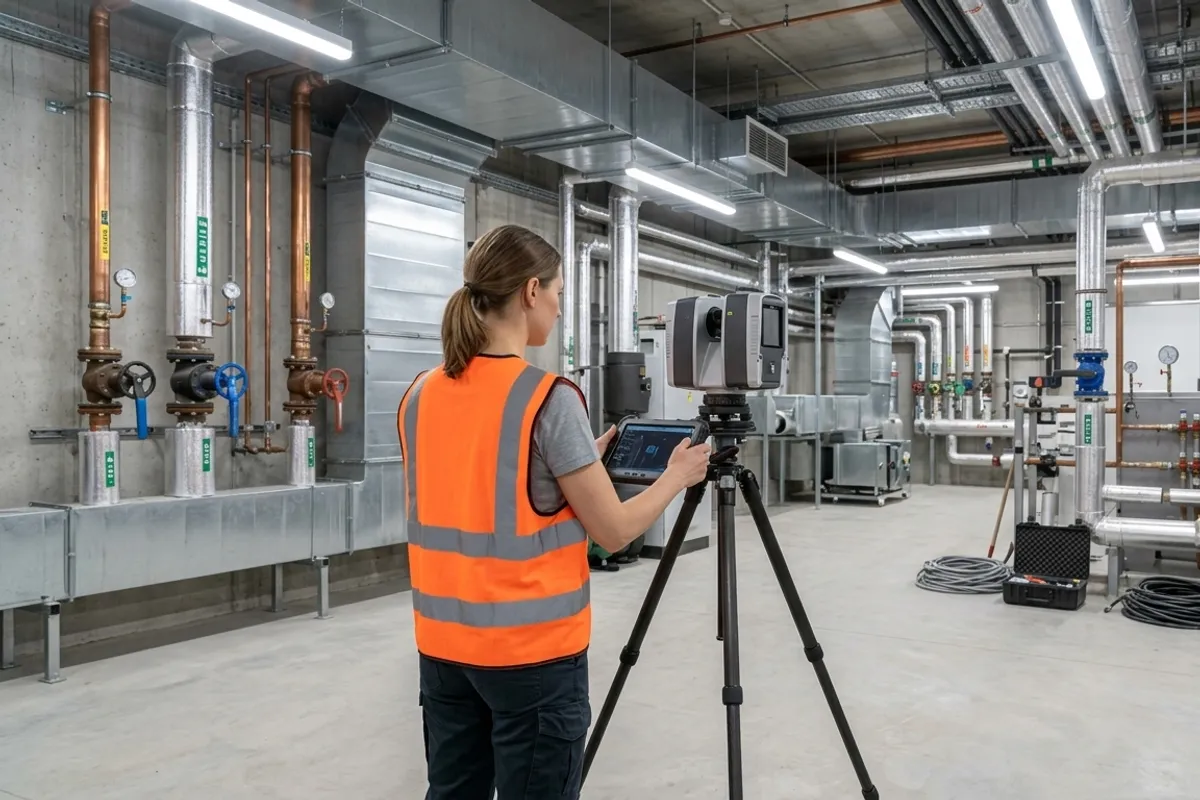
This high-density capture generates a raw point cloud that reveals the true sag of a pipe run or the exact clearance around an air handler. Our processing team registers these individual scan positions into a single coordinate system using Cyclone REGISTER 360 PLUS. Once registered, the data exports as an indexed E57 or RCP file. This point cloud acts as the dimensional truth. By tracing this point cloud in Autodesk Revit, we position the digital elements to match their real-world counterparts within the scanning tolerance.
How does asset tagging connect documents to 3D geometry?
Asset tagging anchors isolated warranty PDFs and historical maintenance logs directly to the verified 3D Revit elements. This spatial indexing process relies on converting decades of legacy paperwork into a structured format through facility document digitization.
We deploy high-volume document scanners to digitize physical archives and apply AI-assisted OCR with human verification to categorize the resulting text. Because automated extraction is prone to hallucinating specific model numbers or misreading faded ink, our human verification step significantly minimizes extraction errors. This keeps the metadata linked to the digital twin highly reliable. The custom RAG infrastructure links this extracted text data to the spatial coordinates of the 3D model. When a maintenance technician selects a specific chiller unit in the 3D viewer, the database retrieves the exact PDF manual, installation date, and past service logs for that specific serial number.
How do facility teams use the spatial database?
Connecting spatial geometry to structured records changes how maintenance teams prepare for work orders. Rather than dispatching a technician to a remote mechanical room simply to read a faded manufacturer tag, the facility manager searches the digital twin.
The RAG infrastructure allows the team to query the database using standard text searches, instantly returning the associated 3D asset and its documentation. Alternatively, a technician can navigate the virtual environment, visually inspect the spatial clearances around a pump, and click the asset to download its replacement part specifications. This minimizes secondary site visits and allows the contractor to prepare the correct tools and components before arriving.
When is an LOD 500 model the wrong choice?
An LOD 500 digital twin is the wrong choice if your only requirement is updating a basic 2D fire evacuation route or planning a standard tenant fit-out. Translating every visible pipe and conduit into a data-rich, field-verified parametric element burns budget for a problem that a simple 2D deliverable solves.
If an architect only needs to map the footprint of existing partition walls on a flat layout, we generate a 2D AutoCAD DWG directly from a horizontal slice of the point cloud. Asset-tagged twins excel at complex asset management and long-term multi-trade coordination. They add unnecessary overhead for a single, isolated renovation. Identifying the correct digital workflow prevents you from forcing a heavy data solution onto a straightforward spatial layout problem.
What factors drive the cost of an asset-tagged twin?
The total cost to capture and model a facility depends on the total square footage, the density of the existing mechanical systems, and the volume of legacy documents requiring digitization. Open warehouse floors move quickly because the scanning line of sight is clear and the asset count is low. A heavily congested central utility plant takes longer because technicians must execute more scan positions to capture complex piping networks and minimize data shadows.
Pricing also scales with the condition of your existing documentation. If your facility maintenance records are already organized in clean PDF formats, linking them to the 3D space requires minimal processing. If your archives consist of decades-old paper blueprints and faded warranty binders, the project requires extensive high-volume document scanning before spatial linking can occur. Tell us the size of your facility and the state of your current documentation, and we will define a clear project timeline.
What deliverables make up the final handoff?
The final deliverable package typically includes a native Autodesk Revit (RVT) model, a registered point cloud in an indexed format, and the structured database of linked documents. Delivering the raw E57 point cloud alongside the modeled Revit file means your engineering contractors always have the underlying raw data for future design phases.
The registered point cloud maintains the baseline accuracy across the site. For exterior campus coordination or roof inspections that do not require interior asset tagging, drone surveying and inspection provides the supplementary aerial topography. We execute these reality capture and digitization workflows serving all of San Diego County, with projects across Orange County, Riverside County and the Inland Empire. Send us your facility floor plan and we will tell you the exact mobilization timeline for data capture.